

FPV OTG: Fly it. Record it. Edit it.
A lightweight FPV camera viewer and recorder that connects over USB-C OTG, then carries each flight from live video through capture and editing. Flying, recording, and editing are free; a one-time Pro unlock enables finished video exports.
The problem
FPV pilots need their phone to stay out of the way.
Generic camera apps are not built around a low-latency UVC receiver, a glanceable flight display, or dependable field recording. Sharing a flight adds another handoff: moving footage to a separate editor just to make a vertical clip.
What we did about it
One connected workflow, from feed to finished clip.
FPV OTG opens when a compatible USB receiver is connected, keeps the live feed front and center, and records straight to the phone. A built-in editor trims and reframes footage for social formats, so pilots can make a shareable clip without leaving the app.
What we built
A viewer, DVR, and editor made for flight footage.
The app pairs a focused live-view experience with reliable capture and a capable mobile editing workflow.
A live view built around the feed.
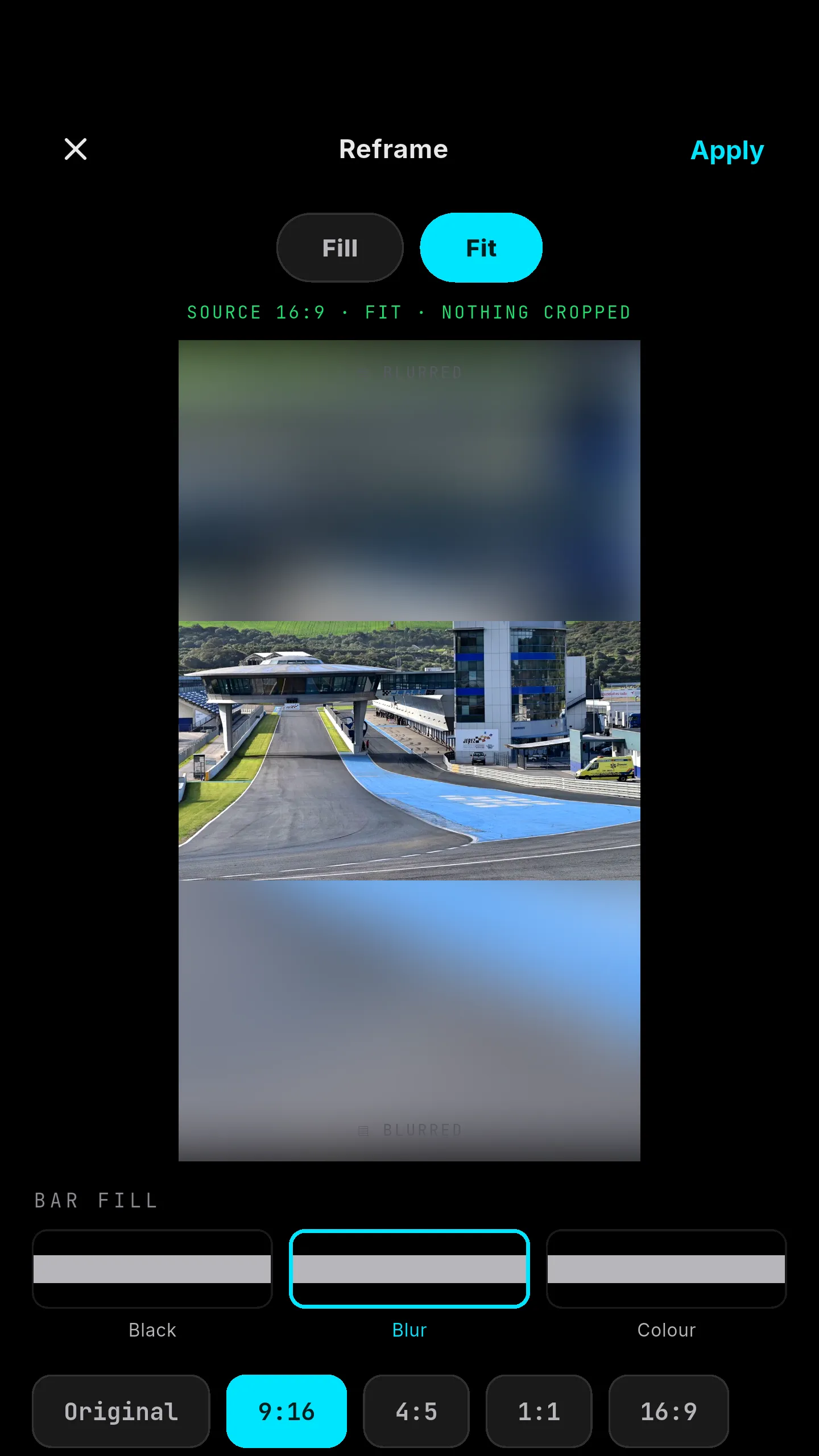
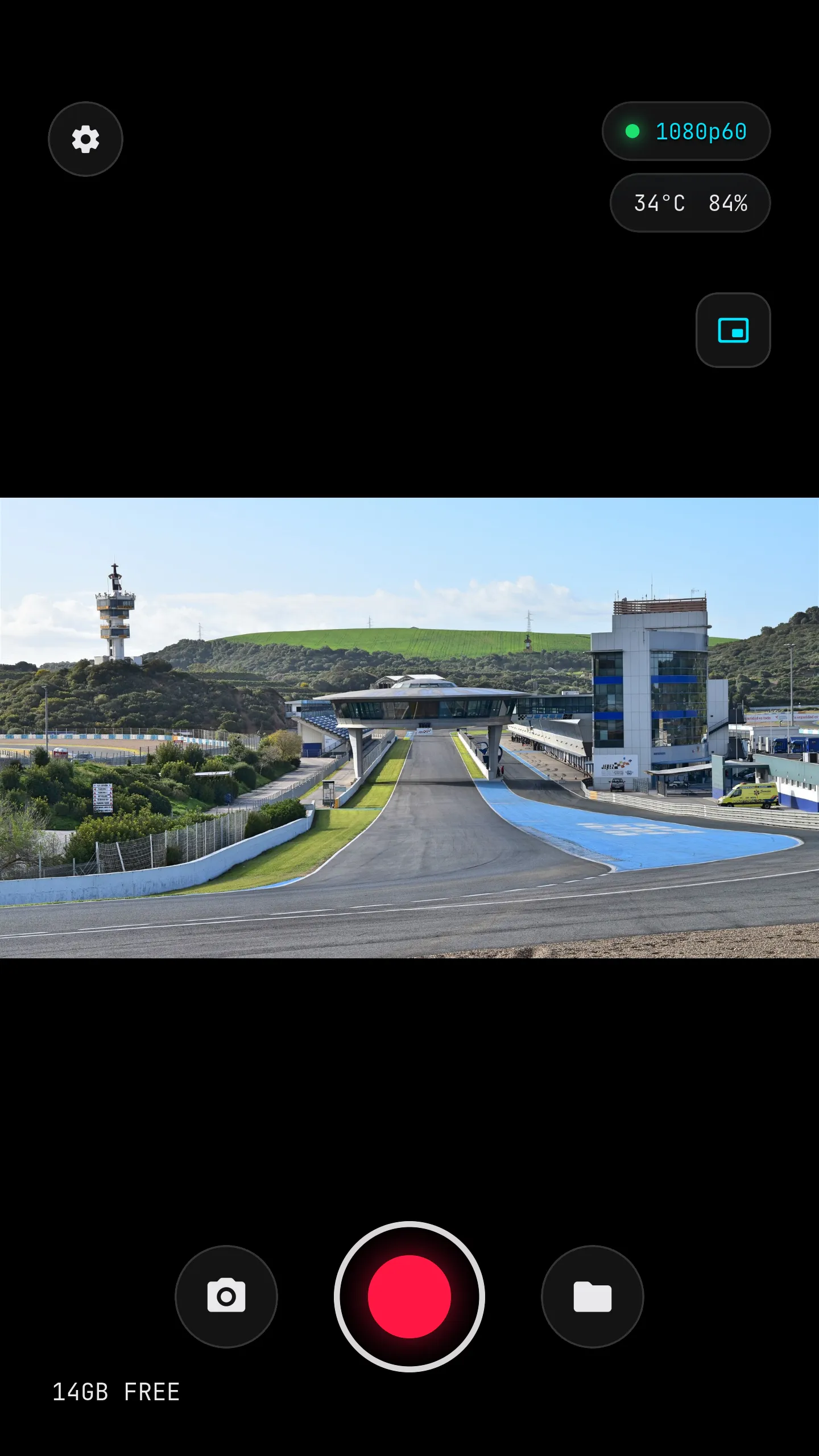
A full-screen UVC viewport keeps the picture dominant, with an on-screen display for resolution, frame rate, battery, temperature, and storage. Pilots can add grid or crosshair overlays, use picture-in-picture, and adjust the feed for their setup.
Record directly to the phone.
One tap records video to the device gallery, with snapshots available during a recording. Storage and thermal guardrails help protect the phone, and Smart Static Auto-Stop ends a take after a prolonged frozen or lost feed.
Audio can come from USB, the phone or a connected Bluetooth microphone, or be muted for silent footage.
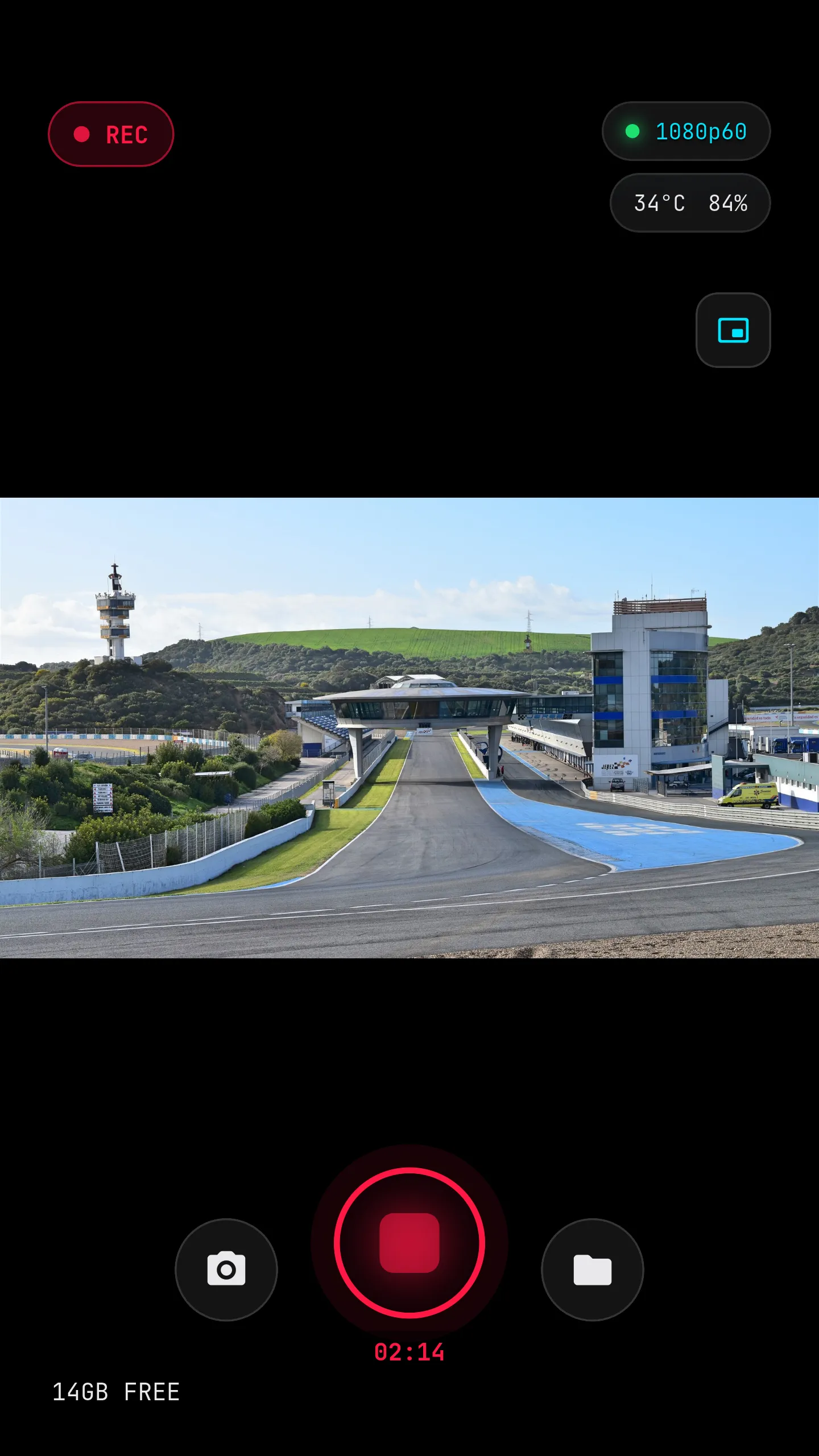
Reframe a flight for vertical video.
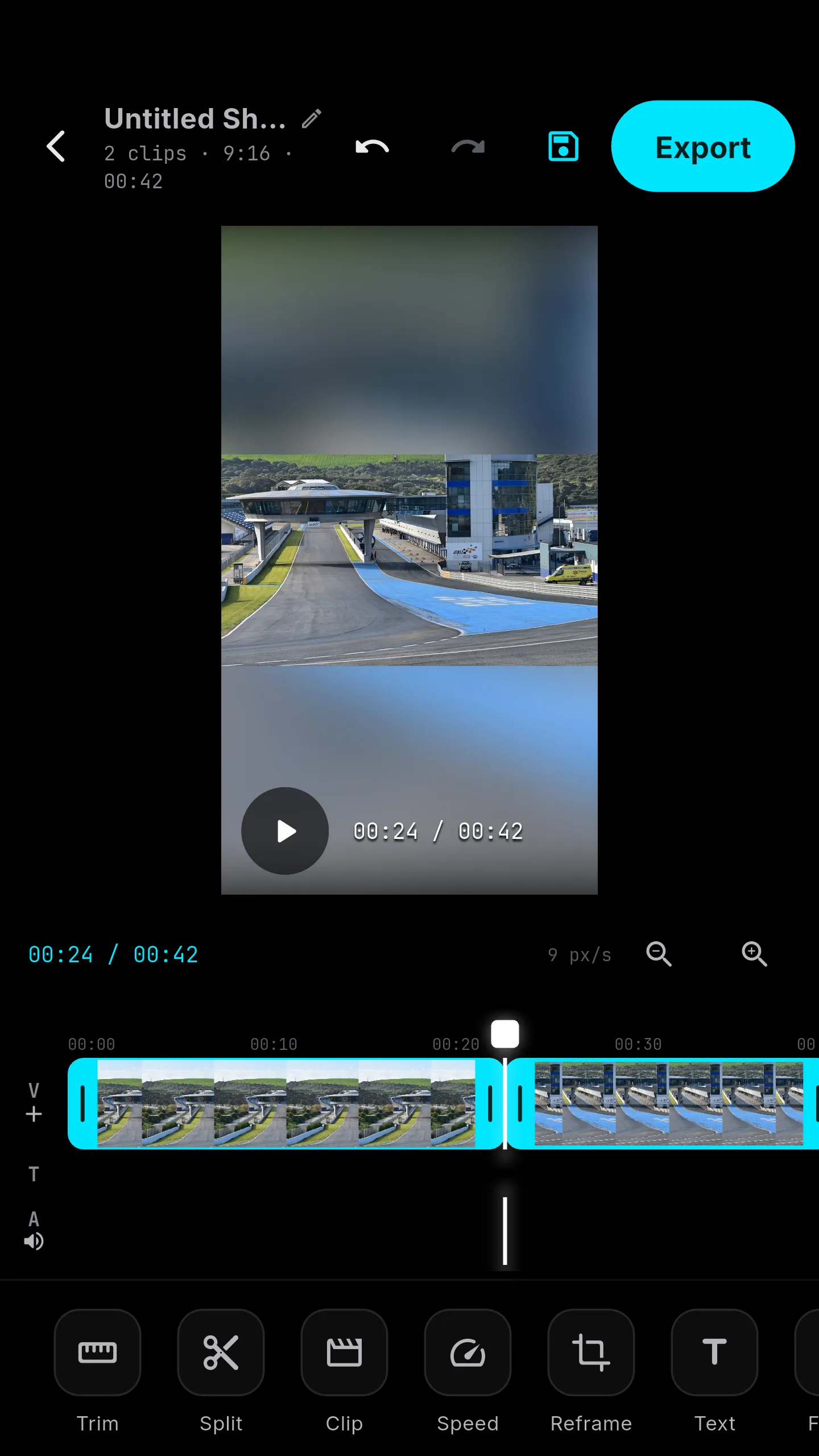
The included editor can trim, split, change speed, add text, and crop footage to 9:16, 4:5, 1:1, or 16:9. The editor is free to use; a one-time Pro unlock enables rendering and sharing finished exports up to 1080p60.
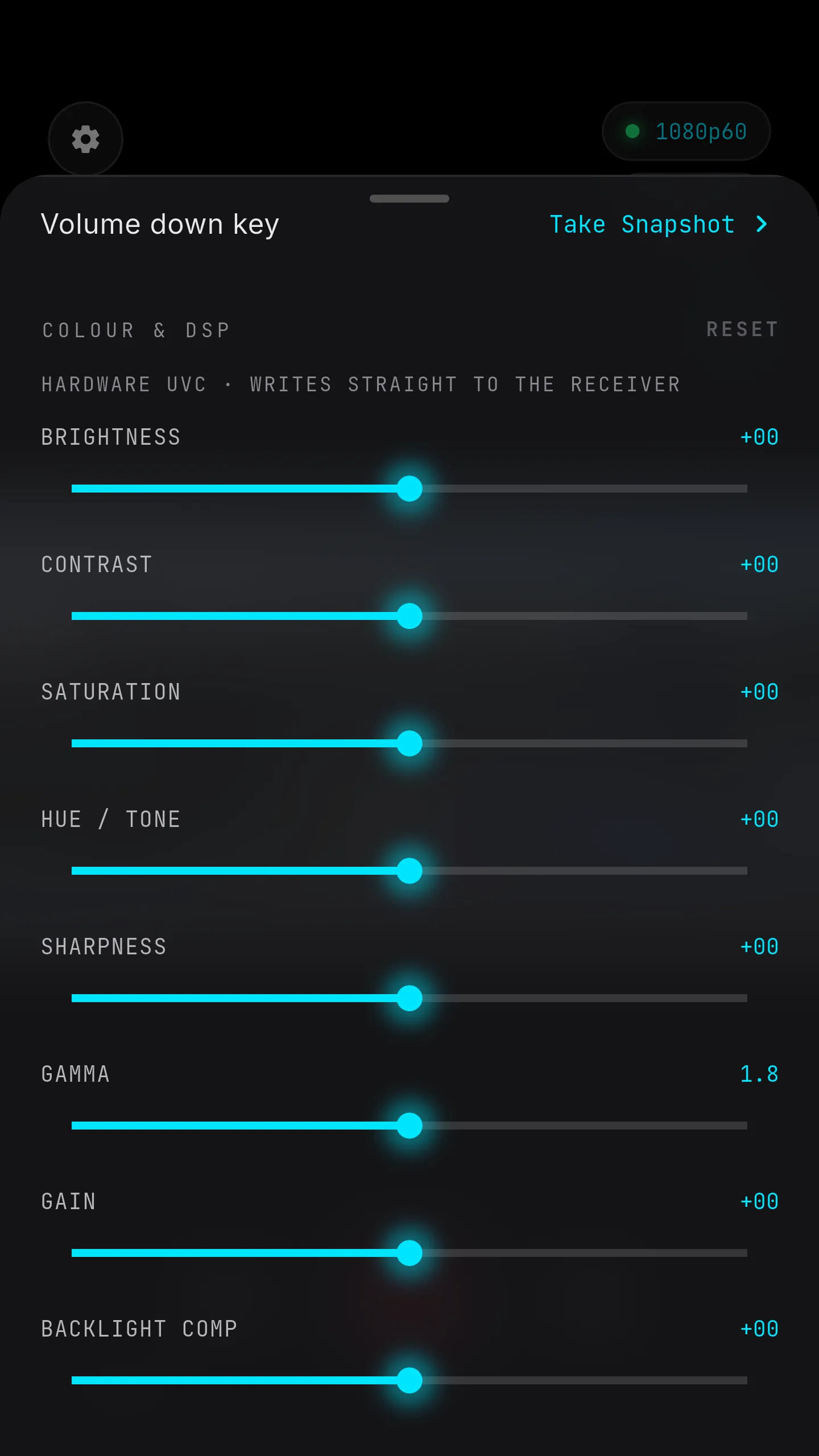
Tune color on the receiver.
Pro DSP controls write supported image adjustments to the UVC receiver itself, rather than applying a phone-side effect. Unsupported controls stay disabled instead of suggesting the hardware can do something it cannot.
Connect and launch
USB-C OTG receiver detection can bring the app straight into the live view.
Pilot-focused controls
Map hardware volume buttons to recording, snapshots, or mute, and choose aspect ratio, mirror, flip, and OSD overlays.
A gallery that stays close
Browse recordings, snapshots, and saved edits together, and import clips from elsewhere on the phone.
Receiver-level image tuning
Adjust supported UVC processing controls on the receiver with no added phone-side image-processing latency.
A usable free tier
Live viewing, recording, and the complete editing workflow are free. Pro is a one-time unlock for video export and advanced DSP controls.
Field-ready safeguards
Storage limits, temperature and battery indicators, and static-feed auto-stop help recordings finish safely.
Product demo
See FPV OTG in action.
A quick walkthrough of the live view, recording, gallery, and editing workflow.
How we work
How this project came together.
Start with the flight.
We shaped the interface around a live UVC feed and outdoor use, prioritizing a clear viewport and controls a pilot can reach quickly.
Integrate with the hardware.
The Flutter app works with a native Android USB/UVC bridge for receiver video, recording, and supported device-level controls.
Carry footage through editing.
Recording, gallery management, and the built-in Shorts editor keep the path from a flight to a shareable export within one app.
Under the hood
The stack behind the flight workflow.
A Flutter app paired with Android-native hardware integration and a local video pipeline.
- Flutter
- Riverpod state management
- go_router navigation
- Android
- Android USB Host
- UVC receiver integration
- Native Kotlin platform bridge
- UVC live view
- MediaStore gallery capture
- FFmpeg export pipeline
- RevenueCat one-time Pro unlock
- Free flight recording and editing
- Astro product website
Have a software project in mind?
Tell us what you're building and we'll tell you honestly how we can help.